
Blue Mouse DEMO3.2 - Google Play
You'll be able to see results in few seconds.
Publisher Description
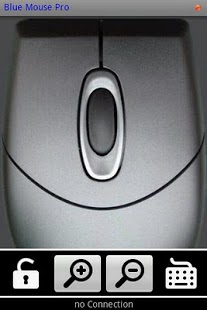
Blue Mouse App converts your phone into a computer mouse, via a Bluetooth connection.
Features at a glance:
- Phone orientation sensor used to achieve mouse movements
- Integrated mouse scroll wheel function (click and scroll)
- Zoom Controls for web browsing.
- Integrated keyboard, allowing to type text on any text editor or browser.
- Left Mouse Button Lock down function, to enable text selection.
_________________
Full Description:
Mouse movements are achieved by making use of orientation sensor: twisting the phone left, right, up and down will move mouse pointer accordingly.
This App includes also services such remote keyboard and middle mouse button and scroll wheel, which covers all functionality required when controlling a computer remotely.
Zoom in/out functions are also available (for web browsing).
Mouse movements can be enabled/disabled during runtime, using the volume keys.
In order to establish communication between your android phone and your computer, Blue Server software has to be downloaded and installed in your computer.
Blue server is free of charge, and can be downloaded from:
http://code.google.com/p/blue-server-project/downloads/list
Blue Server embraces a set of (currently) seven Apps available in the market. All Apps intend to give android users full control over windows OS controls and software, namely keyboard and mouse control, webbrowsing, powerpoint, media player and print screen functions.
For more information on other blue server apps, please refer to blue server guide, also available for downloaded at the below mentioned web site:
https://play.google.com/store/search?q=pt.teixeira.blueapps
NOTE:
Save money buying Blue Server Utility App. This App is a all-in-one utility, containing all blue apps at a very attractive pricing
https://play.google.com/store/apps/details?id=pt.teixeira.blueapps.BlueAll
About Blue Mouse DEMO
The company that develops Blue Mouse DEMO is Luis Teixeira. The latest version released by its developer is 3.2.
To install Blue Mouse DEMO on your Android device, just click the green Continue To App button above to start the installation process. The app is listed on our website since 2012-04-16 and was downloaded 0 times. We have already checked if the download link is safe, however for your own protection we recommend that you scan the downloaded app with your antivirus. Your antivirus may detect the Blue Mouse DEMO as malware as malware if the download link to pt.teixeira.blueapps.BlueMouseLite is broken.
How to install Blue Mouse DEMO on your Android device:
- Click on the Continue To App button on our website. This will redirect you to Google Play.
- Once the Blue Mouse DEMO is shown in the Google Play listing of your Android device, you can start its download and installation. Tap on the Install button located below the search bar and to the right of the app icon.
- A pop-up window with the permissions required by Blue Mouse DEMO will be shown. Click on Accept to continue the process.
- Blue Mouse DEMO will be downloaded onto your device, displaying a progress. Once the download completes, the installation will start and you'll get a notification after the installation is finished.
Program Details
System requirements
Download information
Pricing
Version History
version 3.2
posted on 2012-04-16
New Appearance.,Extra functionalities.
version 3.2
posted on 2012-04-16
Several fixes and updates
Disclaimer
Official Google Play Link
We do not host Blue Mouse DEMO on our servers. We did not scan it for viruses, adware, spyware or other type of malware. This app is hosted by Google and passed their terms and conditions to be listed there. We recommend caution when installing it.
The Google Play link for Blue Mouse DEMO is provided to you by apps112.com without any warranties, representations or guarantees of any kind, so access it at your own risk.
If you have questions regarding this particular app contact the publisher directly. For questions about the functionalities of apps112.com contact us.
